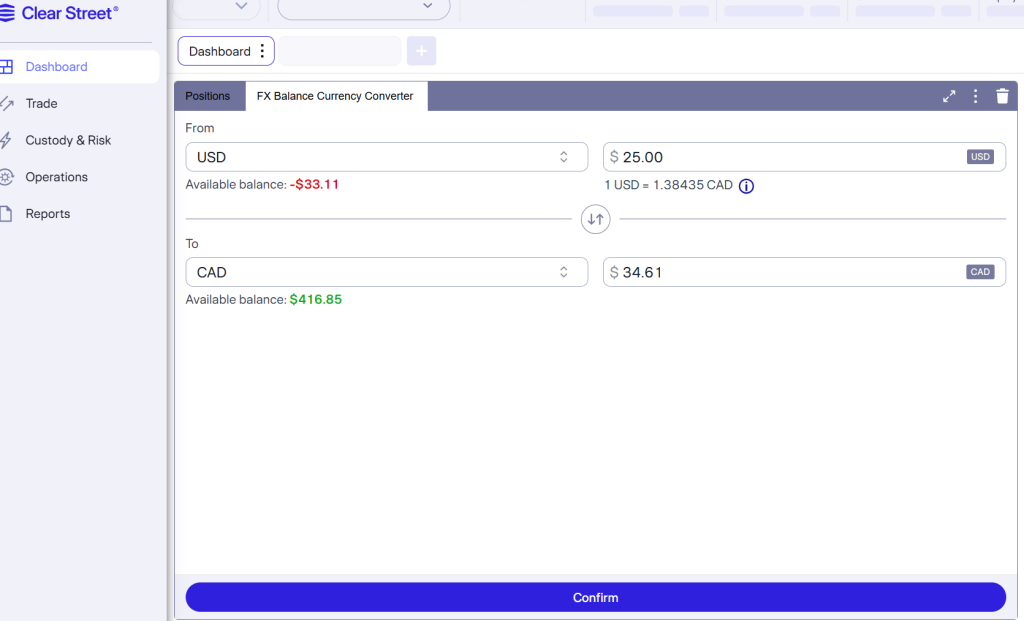
Converting Funds via Studio Portal
- Navigate to Trade: Go to the Trade tab in the left-hand menu.
- Select FX Spot: Choose FX Spot from the top navigation bar.
- Enter Details: Use the FX Balance Currency Converter to input your desired amount, selecting the source (“From”) and target (“To”) currencies.
- Review Rate: Review the real-time conversion rate displayed on screen.
- Confirm Conversion: Click Convert to finalize the request.
Timeline & Settlement
Converted funds and updated equity will automatically reflect in DAS overnight once the conversion settles.
The currency converter is open from 7:30 AM to 4 PM EST.